🧪 BETA Beta Testers Wanted!

Records are the key to
smooth work.

Submission date, response date, person in charge, number of revisions.
Just by recording the same items every time, you get a complete business log.
Once data is accumulated, analysis with AI takes just a second.

No credit card required • Completely free • Your email address can be changed anytime
What changes when records become a system

📁

Consistent records across every project

Submission date, response date, person in charge. Just entering the same fields every time naturally builds a uniform dataset — something email and folders simply can't give you.

🔄

Revision counts and history tracked automatically

Revision numbers increment automatically on rejection. Modification history is recorded as you work — no extra effort required.

👁️

Always know who holds the ball

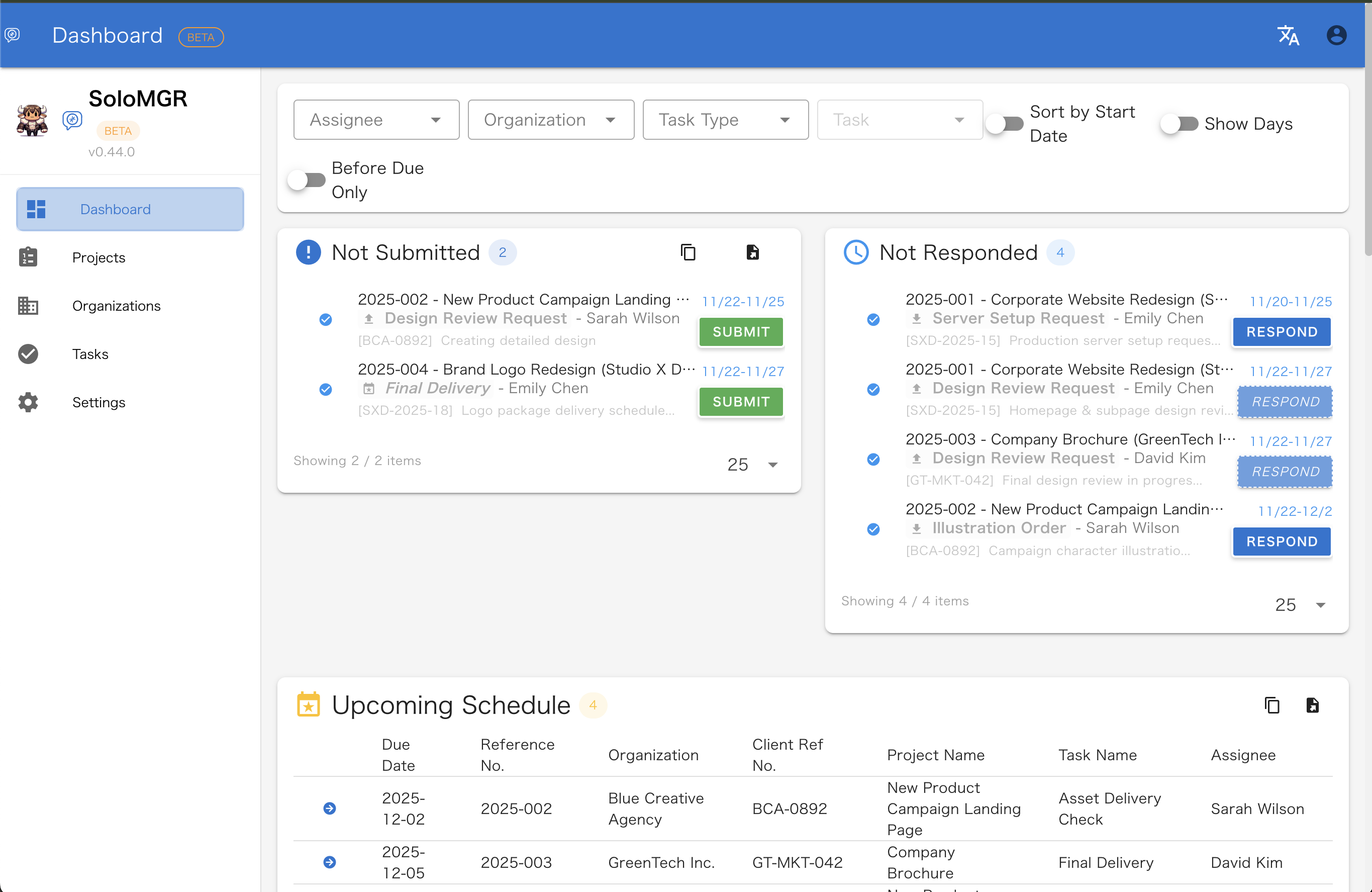
Unsubmitted and unresponded items surface on the dashboard. Visibility into waiting time makes bottlenecks clear and your next action obvious.

3 Key Features of SoloMGR

Input becomes records naturally

Submission date, response date, person in charge, task type. The app asks for the same items every time, eliminating gaps and inconsistencies. You naturally accumulate uniform data that email or folder management can't provide.

Dashboard shows your next move

Unsubmitted, unresponded, and scheduled tasks are listed on the dashboard. Always seeing "how many left" makes it clear what to do next. A self-management system essential for solo workers without a boss.

Leave analysis to AI. App focuses on recording.

Exportable in JSON and Excel formats. Give the accumulated data to AI, and trend analysis by person or monthly volume calculation happens in an instant. The app specializes in "creating clean data."

📚 See documentation for detailed export feature guides

Project-Based Step Management

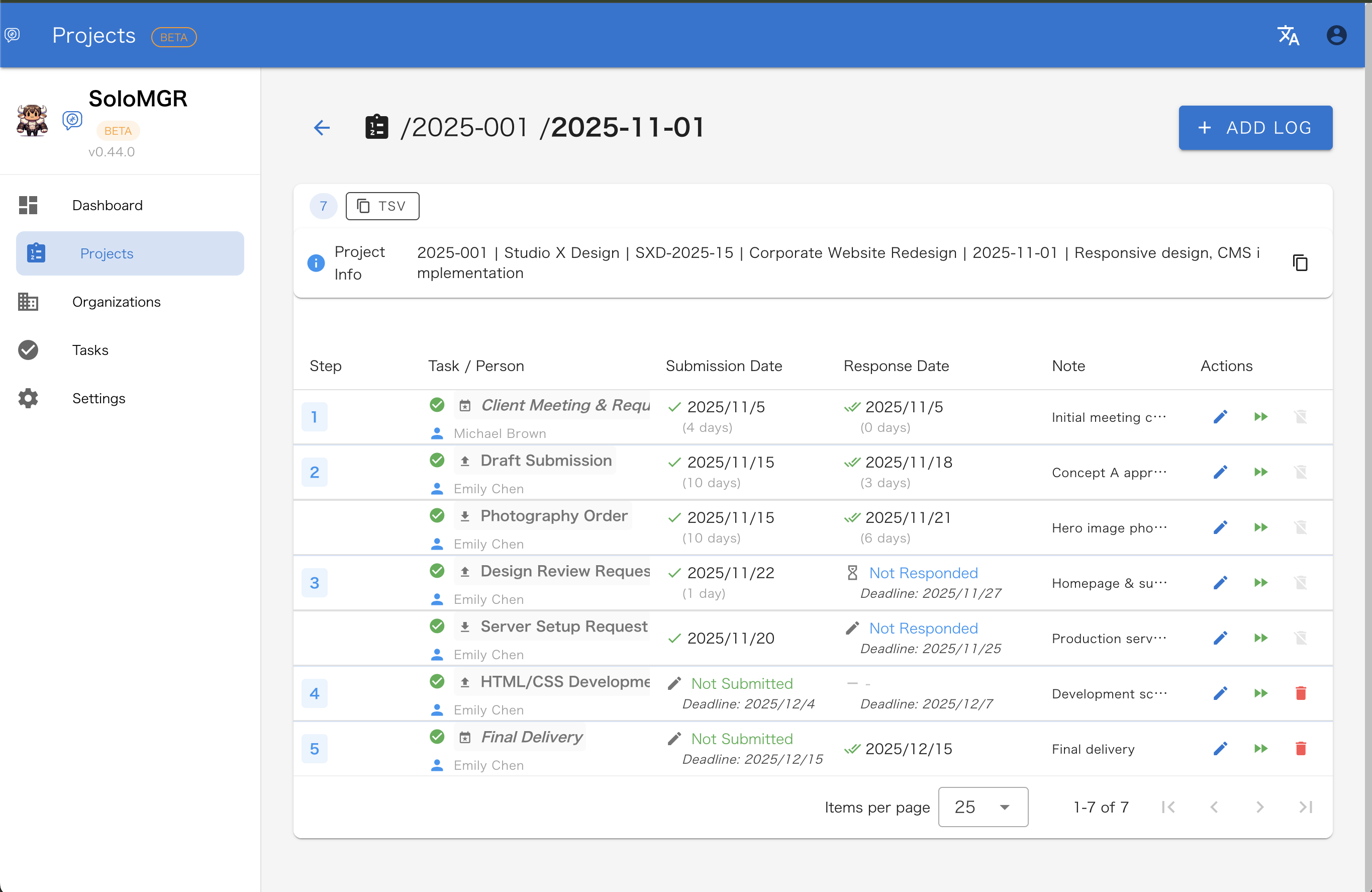
Set steps for each project and visualize progress. Assign tasks and people to each step for smooth project management.

  • ✓ Step-by-step progress management
  • ✓ Task/person assignment
  • ✓ Submission & response deadline management
Step Management Screen

Quick Actions for Fast Processing

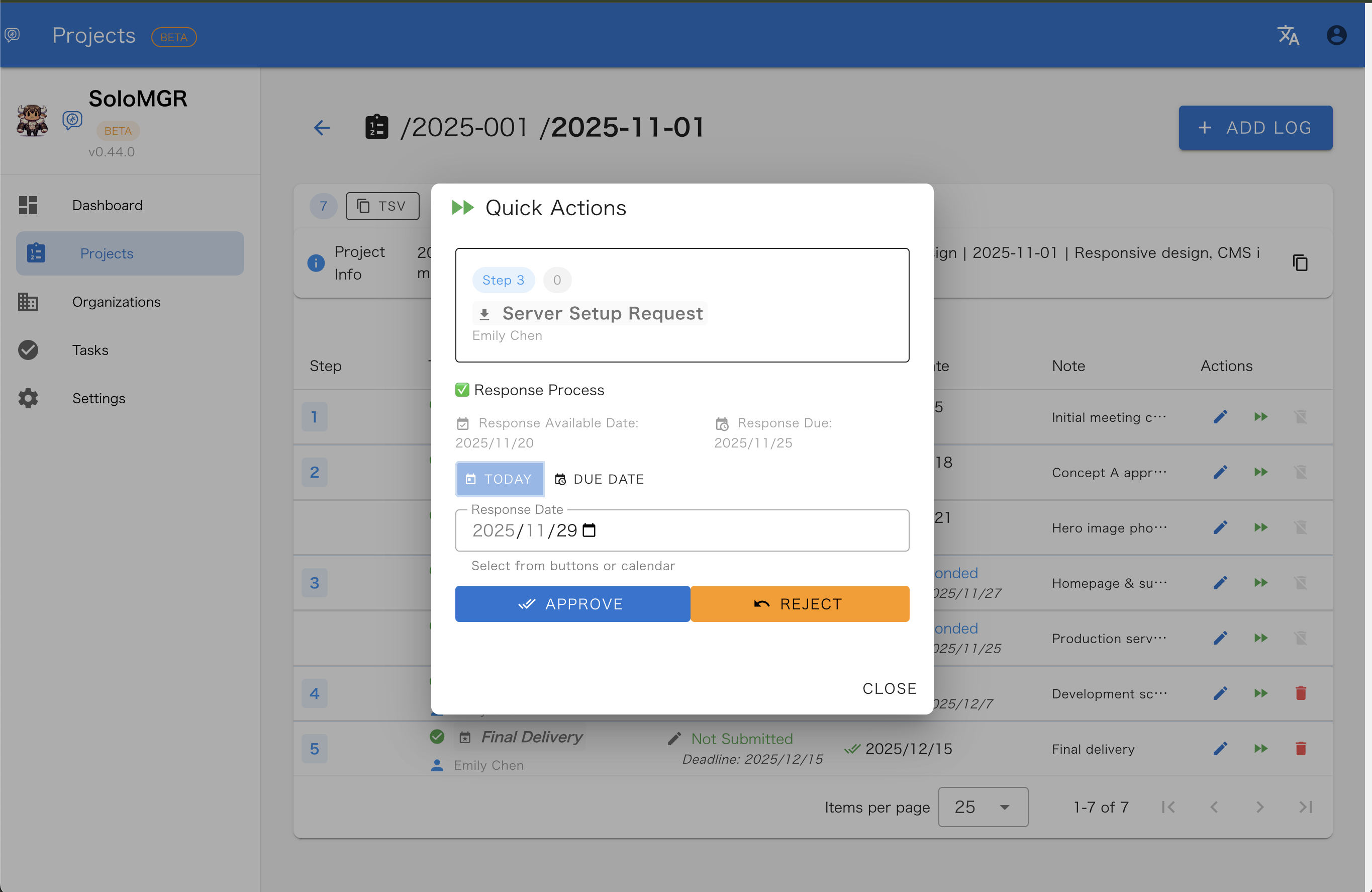
Approve or reject with one click. Revision numbers automatically increment on rejection, tracking modification history.

  • ✓ One-click approve/reject
  • ✓ Auto-update revision numbers on rejection
  • ✓ Easy modification history tracking
Quick Action Screen

3 Types of Task Categories

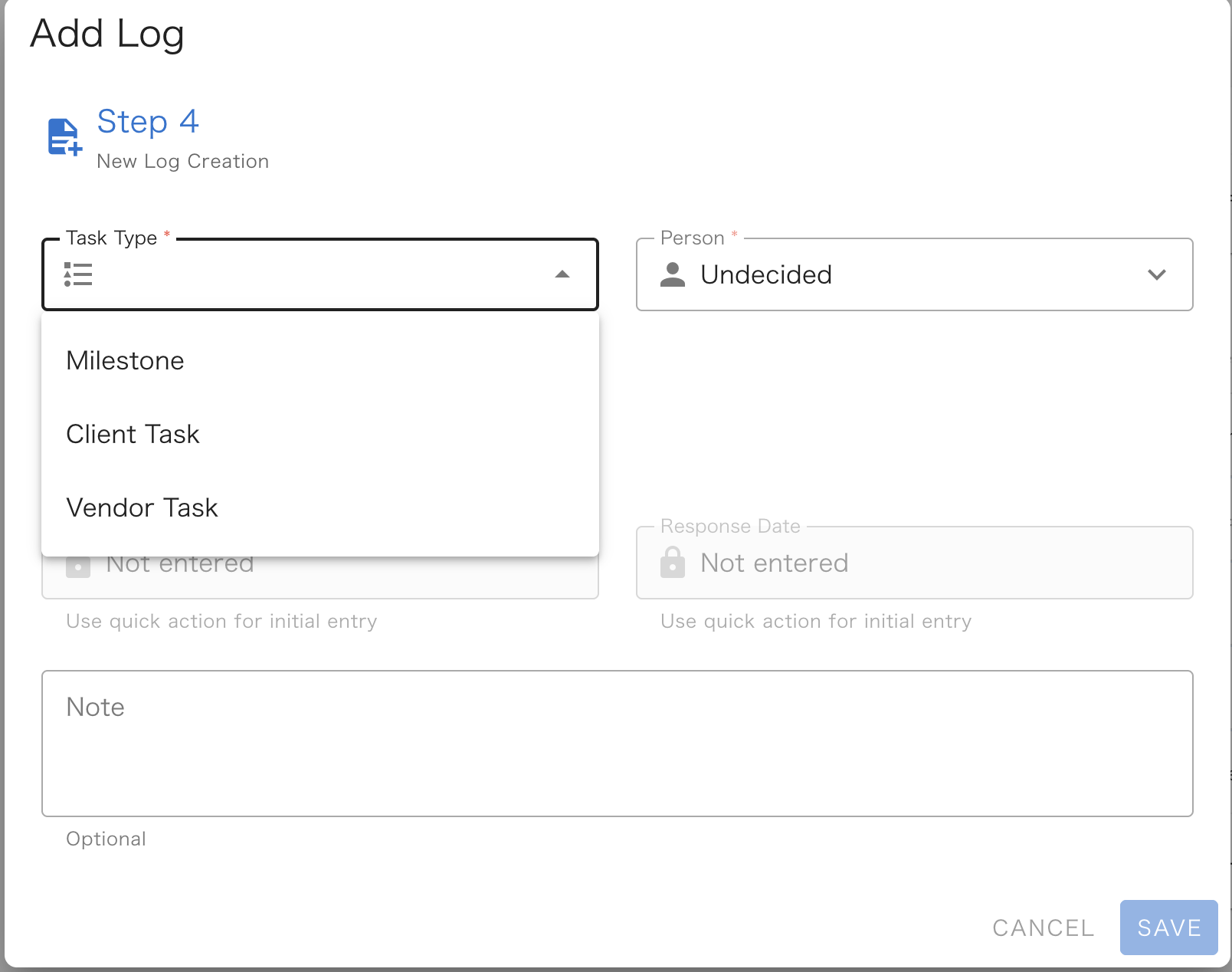
Organize project tasks into 3 categories. Clarify roles and deadlines to prevent oversights.

  • ✓ Milestone: Important milestones with deadlines
  • ✓ Client Task: You submit, they evaluate
  • ✓ Vendor Task: They submit, you evaluate
Task Type Selection Screen

Perfect For

💻

Freelance Engineers

Parallel management of multiple projects, progress visualization, and unified task prioritization.

🎨

Designers & Creators

Easy step management per project, deliverable approval workflow, and modification history tracking.

📊

Solopreneurs & Side Hustlers

Perfect for organizing projects with multiple clients, deadline management to prevent oversights, and progress visualization.

Why I built this

Many projects don't have a clear roadmap from the start. They are a series of uncertainties—deciding whether to withdraw, proceed minimally, or scale up based on research results. Circumstances for clients and vendors change constantly, and resource availability shifts moment by moment.

SoloMGR was designed as a tool to support these "ever-changing environments." It allows you to constantly monitor who has the ball and provides a flexible system to edit and reuse task workflows as situations evolve.

In a volatile environment, daily records become future assets. By acting as an input guide to make logging a habit, SoloMGR naturally accumulates high-quality, consistent data that AI can instantly analyze and utilize. Turning opaque projects into data-driven confidence—that is the value SoloMGR provides.

— ushikeron (Solo Developer)

Safe & Secure

🔒

Data Securely Protected

All data is stored using standard encryption provided by Firebase. Protected by the robust security of a trusted cloud infrastructure.

🚫

No Third-Party Sharing

We never share your data with third parties.

📧

Minimal Personal Information

Email only used for login & recovery. Temporary addresses accepted.

💾

Data Export Available

Export in JSON and Excel formats. Use it for recovery, processing in spreadsheets, or AI analysis.

Learn how to export →

Start for free with your email or Google account.

Sign up in seconds. You can change your email address or switch to Google SSO anytime. Create your account with a nickname to make it truly yours.

No credit card required • Completely free • Sign up with email/password or Google SSO

Once you're in, feel free to tell us how you plan to use it. It helps shape development. (Optional)